VR Ocean
A high-performance FFT-based ocean simulation system for Unity, optimized for Virtual Reality on Quest 3 and PC VR platforms.
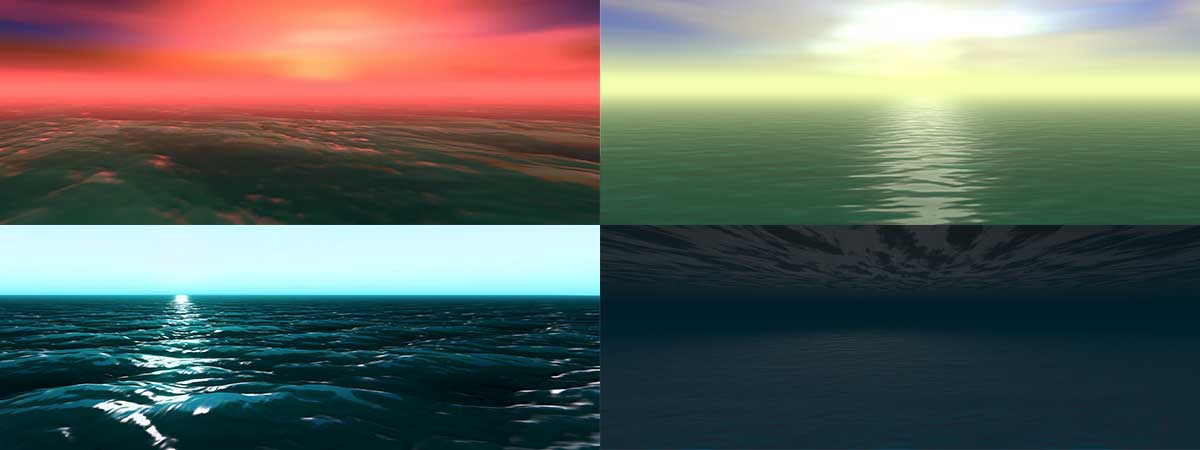
What is VR Ocean?
VR Ocean is a complete ocean rendering and simulation solution built on Unity's Data-Oriented Technology Stack (DOTS). It uses Fast Fourier Transform (FFT) algorithms running in Burst-compiled jobs to generate realistic, tileable ocean waves in real-time. The system includes a quadtree-based LOD renderer for efficient draw calls, multiple buoyancy components for floating objects, and VR-specific optimizations that maintain visual quality while hitting performance targets on standalone headsets.
Key Features
Simulation
- Phillips spectrum wave generation with configurable wind parameters
- Real-time FFT displacement and normal map generation
- Adjustable resolution from 16x16 to 512x512
- Seamless looping animation with configurable duration
Rendering
- Quadtree LOD system with frustum culling
- GPU instanced rendering for minimal draw calls
- Subsurface scattering and foam generation
- Detail normal layers for close-up ripples
- Horizon skirting for infinite ocean appearance
VR Optimization
- Single-pass stereo instanced rendering
- Mobile shader variant for Quest 3
- Configurable quality presets (Low/Medium/High/Ultra)
- Burst-compiled physics queries
Buoyancy System
- Three buoyancy components for different use cases
- CPU-accessible displacement data for water queries
- Threaded sampling with configurable grid resolution
Supported Platforms
| Platform | Render Pipeline | Status |
|---|---|---|
| Meta Quest 3 | URP | Fully supported |
| Meta Quest 2 | URP | Supported (reduced settings) |
| PC VR (SteamVR, Oculus) | URP | Fully supported |
| Desktop (non-VR) | URP | Fully supported |
Requirements
- Unity 6000.0.58f2 LTS or newer
- Universal Render Pipeline (URP)
- Burst 1.8+ and Collections 2.1+ packages
Quick Look: Core API
The central access point for VROcean is the SceneSystem singleton. Here are the most commonly used methods:
Query Ocean Height
using PlatypusIdeas.VROcean.Runtime.Scripts.Scene;
using Unity.Mathematics;

// Get water height at a world position
float3 position = new float3(10f, 0f, 25f);
float waterHeight = SceneSystem.Instance.GetOceanHeight(position);

// For choppy waves, use iterative sampling for accuracy
float accurateHeight = SceneSystem.Instance.GetOceanHeightIterative(position, iterations: 4);
Check If Underwater
bool isUnderwater = transform.position.y < SceneSystem.Instance.GetOceanHeight(transform.position);
Switch Environment Profile
using PlatypusIdeas.VROcean.Runtime.Scripts.Scene;

public AquaticBiomeProfile stormyProfile;

void TriggerStorm()
{
    SceneSystem.Instance.SetProfile(stormyProfile);
}
Access Wind Data
// Wind direction in degrees (0 = North, 90 = East)
float windYaw = SceneSystem.Instance.WindYaw;

// Wind as a Vector3 (includes speed from profile)
Vector3 windVector = SceneSystem.Instance.WindVector;
System Architecture
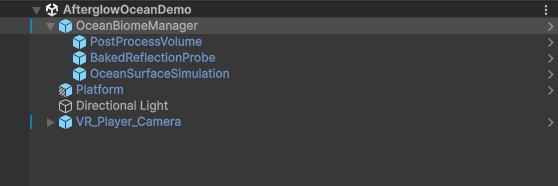
VROcean consists of four main subsystems that work together:
| Component | Responsibility |
|---|---|
SceneSystem | Singleton orchestrator managing all subsystems |
OceanSimulator | FFT simulation pipeline producing displacement and normal textures |
SurfaceLodRenderer | Quadtree traversal and instanced mesh rendering |
AquaticBiomeProfile | ScriptableObject storing wave, lighting, and material configuration |
Next Steps
- Installation - Import and configure the package
- Quick Setup - Get a working ocean in 5 minutes
- First Floating Object - Add buoyancy to a GameObject
- VR Performance Guide - Optimize for Quest 3